AI Documentation Automation
Using AI agents to auto-generate comprehensive component documentation

The Challenge
Comprehensive component documentation is essential for design system adoption, but it's also incredibly time-consuming. Each component in our library needed usage guidelines, props documentation, accessibility notes, and code examples—work that typically took 3+ hours per component.
With 50 components in the library and constant updates, documentation was always falling behind. Designers needed better guidance, but the team couldn't keep up with the documentation debt.
The Solution
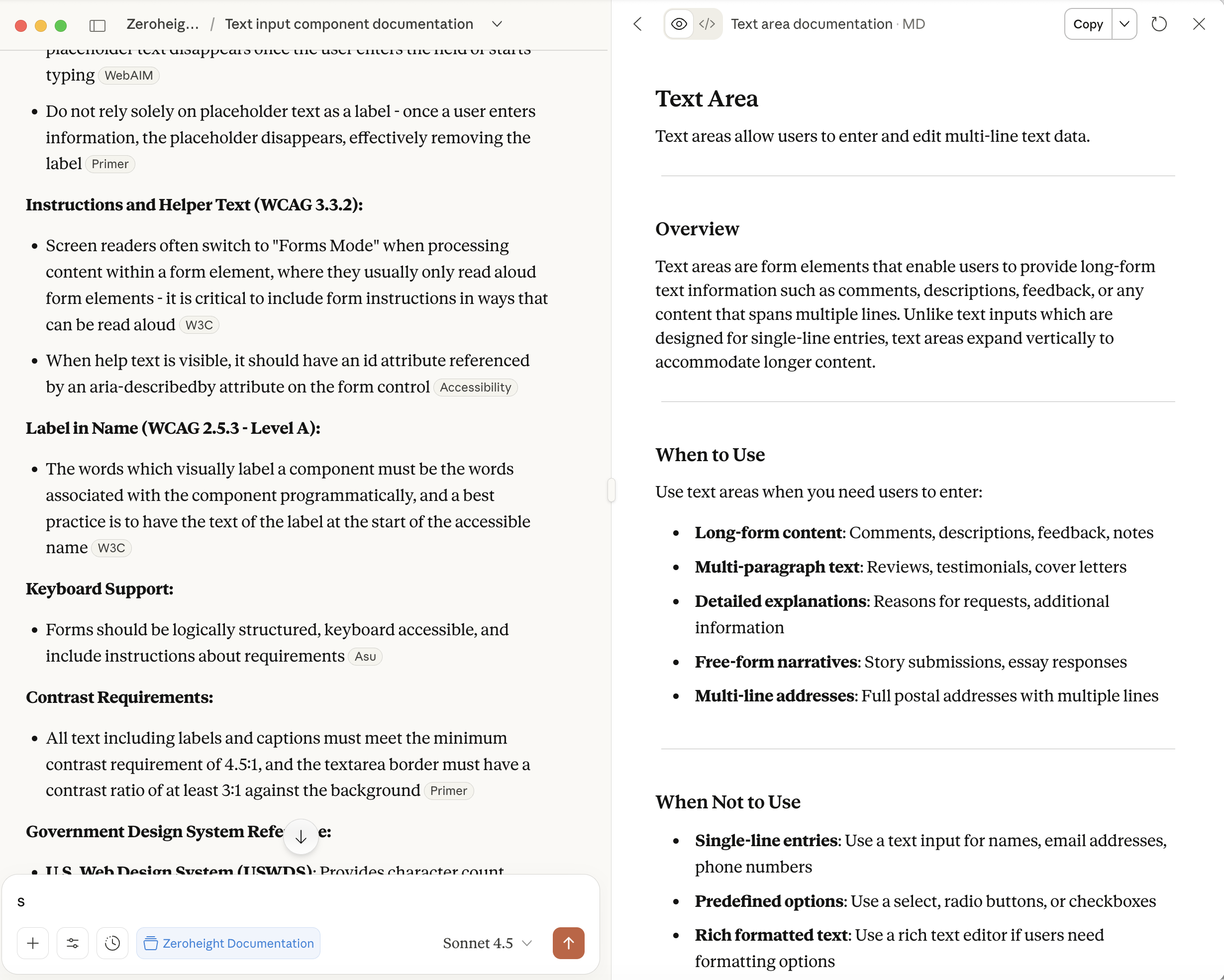
I built an AI agent using Figma MCP (Model Context Protocol) and Claude that can read component specifications directly from Figma and generate comprehensive Zeroheight documentation automatically.
The AI agent reduced documentation time from 3+ hours to approximately 15 minutes per component—including review and refinement.
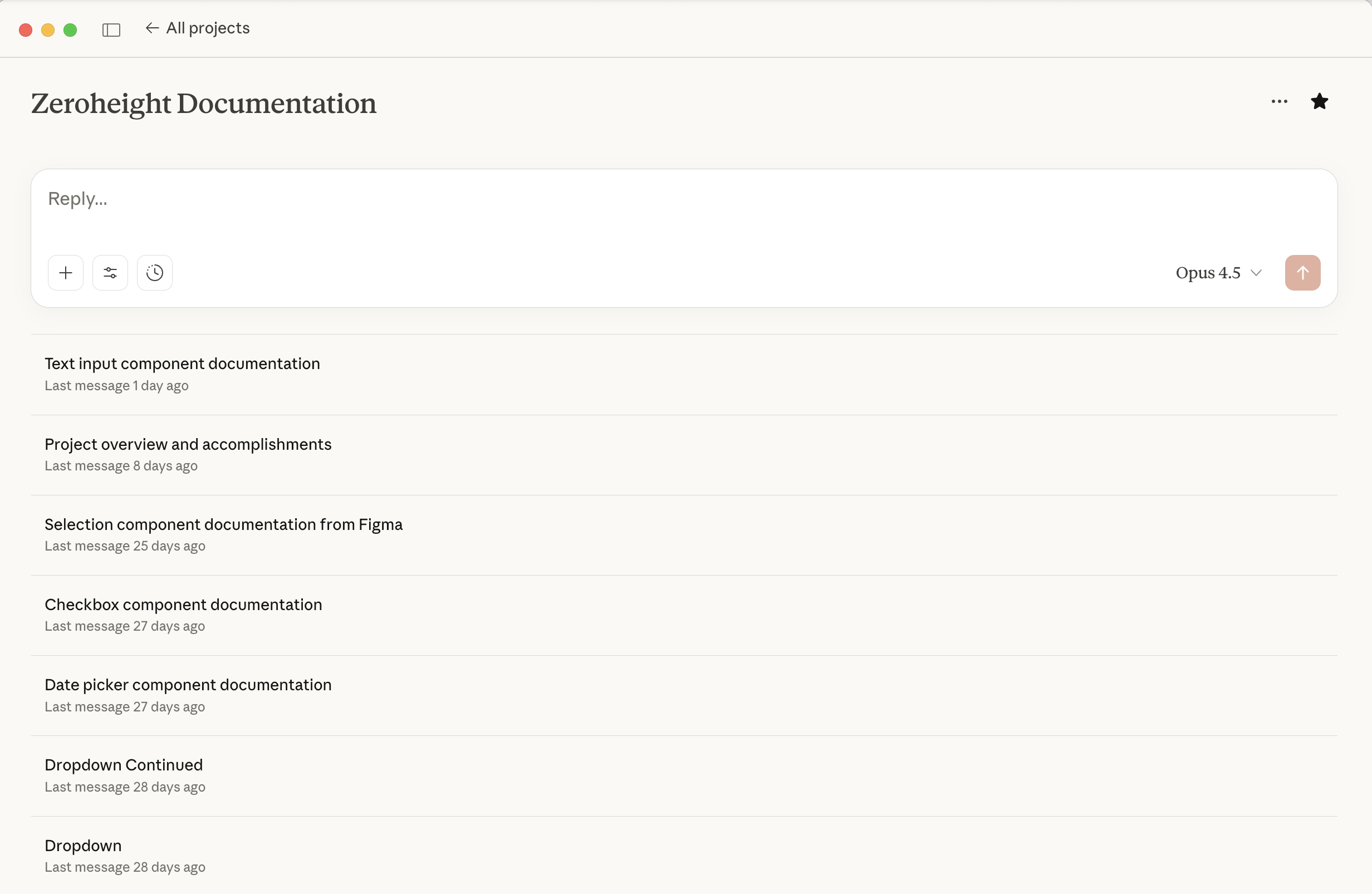
The Agent in Action
Here's what the AI documentation workflow looks like in practice:
How It Works
Component Reading
The agent uses Figma MCP to read component structure, variants, properties, and any existing annotations from the Figma file.
Context Analysis
Claude analyses the component's purpose, use cases, and relationship to other components in the system.
Documentation Generation
The agent generates structured documentation including overview, usage guidelines, props tables, accessibility notes, and do/don't examples.
Zeroheight Formatting
Output is formatted for direct import into Zeroheight, maintaining consistent structure across all component pages.
Documentation Structure
Each generated documentation page follows a consistent template:
- Overview: What the component is and when to use it
- Anatomy: Breakdown of component parts and structure
- Variants: Available variations and their use cases
- Props/Properties: Complete list of configurable options
- Accessibility: WCAG compliance notes and keyboard navigation
- Best Practices: Do and don't guidelines with examples
- Related Components: Links to similar or complementary components
Sample Output
## Button

### Overview
Buttons allow users to trigger actions with a single tap.
Use buttons for the primary action on a page or within a form.

### Variants
• **Primary**: High-emphasis actions (submit, confirm)
• **Secondary**: Medium-emphasis supporting actions
• **Tertiary**: Low-emphasis actions (cancel, dismiss)
• **Destructive**: Actions that delete or remove

### Accessibility
• Minimum touch target: 44×44px
• Colour contrast ratio: 4.5:1 minimum
• Focus indicator: 2px outline with offset
• Keyboard: Enter/Space to activate
Impact
The AI documentation agent has transformed our documentation workflow:
- 160+ hours saved across initial documentation of 50 components
- Consistent quality across all documentation pages
- Always current—can regenerate when components update
- Better adoption—designers now have the guidance they need
Lessons Learned
Building this agent taught me valuable lessons about AI-assisted design systems work:
- Structure matters: Well-organised Figma files produce better documentation
- Human review essential: AI gets 80% right; human refinement adds the final 20%
- Iterate the prompt: The prompt engineering took more time than the code
- Start with templates: Defining the output structure first improved quality dramatically